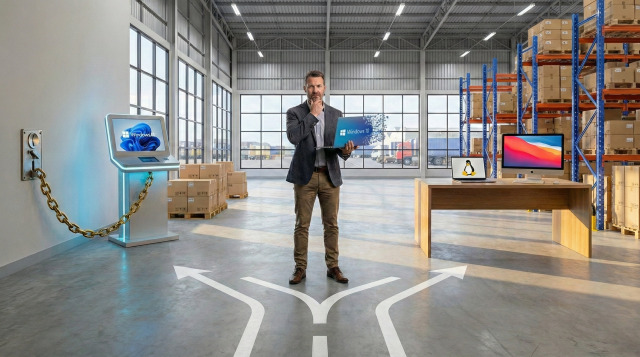
It has been a few months since the 14 October 2025 deadline passed, and the dust is finally starting to settle on the Windows 10 End-of-Life (EoL) transition. As a keen observer watching it all happen, the lead-up to that date felt like a slow-motion car crash: do homes and small businesses fork out thousands for new hardware, or do they pay Microsoft’s "nuisance tax" for Extended Security Updates (ESU) just to keep the lights on?.
Now that we are firmly into 2026, the data is telling a fascinating and somewhat rebellious story. The expected "mass migration" to Windows 11 hasn't quite gone to plan for Microsoft. Instead of a smooth transition, we are seeing a fragmented marketplace where business owners are increasingly asking: "Is there a better way to do this?"
The Waning Dominance of Windows
For decades, Windows was the "default" choice. You didn't choose it; it was just there. However, as of December 2025, Windows’ global desktop market share has slipped to a historical low of approximately 66.4%. While that still sounds like a lot, it is a significant drop from the 75%+ dominance it enjoyed only a decade ago.
The most surprising statistic is the stubborn persistence of Windows 10. Even two months after support officially ended, nearly 45% (that really blows my mind) of all Windows endpoints globally were still running the older OS. This creates a massive security vacuum, especially for Small and Medium Businesses (SMBs) who are now facing three unenviable choices:
- The Upgrade Wall: Replacing perfectly functional workstations and laptops because they lack the required TPM 2.0 security chip.
- The ESU Tax: Paying roughly $30 per device for the first year of consumer security updates, or significantly more for enterprise tiers, just to stay on a "dead" system.
- The Migration: Moving to alternative platforms like macOS or Linux.
On a personal note, I find the forced replacement of perfectly good hardware distressing:
- At a moment where we're trying to protect the planet, Microsoft's instance on TPM 2.0 is ready to create tons of e-waste.
- At a moment where cost of living and cost of doing business are sky-rocketing Microsoft is trying to force hardware replacements that themselves are getting out of hand due cost-wise to AI datacentre driven demand for RAM, GPUs and SSDs.
It's all very tone-deaf.
Let's talk enshittification
Why are users and businesses fleeing a platform they’ve used for 30 years? If you haven't heard of it yet, it's time to discuss a concept called enshittification. Enshittification is a process where a platform eventually degrades its own user experience to squeeze more profit for shareholders.

In the case of Windows 11, this has manifested in ways that frustrate everyday productivity:
- Ad Injection: We’re seeing "recommended" ads appearing in the Start Menu and aggressive pop-ups for OneDrive and Game Pass.
- Intrusive "New User" Screens: The return of full-screen "out of box experience" (OOBE) prompts after major updates that nag users to "finish setting up your PC," which is often just a tactic to push Microsoft Account sign-ins or cloud subscriptions.
- Settings Resetting After Updates: Frustrating instances where user-defined default settings, such as preferred web browsers or search engines, are reset to Microsoft's defaults following a system update.
- Invasive Telemetry: Windows 11’s aggressive telemetry collects vast amounts of usage data, which has alienated privacy-conscious users and created a "mass exodus" toward privacy-hardened alternatives.
- Poor Performance: Updates in mid-2025 were reported to increase logon times in managed environments from 20 seconds to over a minute.
- Unwanted AI Bloat: The forced insertion of "Copilot" into almost every corner of the OS, including AI-powered buttons in basic tools like Notepad and Paint, which many users view as unnecessary bloat.
- The "Recall" Controversy: The AI-powered "Recall" feature, which takes constant screenshots of your activity, has caused a massive trust deficit, especially in sensitive sectors like legal and healthcare.
- Backward Quality Control: A decline in update quality where official patches have been reported to "brick" machines, cause SSDs to fail, or break core functions like the shutdown button and Remote Desktop access.
The deeper I delved into this topic the more bleak it was. Of course large enterprise has access to Enterprise versions of Windows 11 that can turn off some (but not all) of these annoyances.
Desktop-as-a-Service: Renting vs. Owning Your Office
Microsoft is clearly pivoting away from the idea of you "owning" your operating system. Their strategy is to move Windows to the cloud via Windows 365 and Cloud PCs—a model known as Desktop-as-a-Service (DaaS).
The pitch for DaaS is about flexibility and security, but for a budget-conscious SMB, the long-term math can be eye-watering:
- Rental Costs: A Windows 365 Enterprise license can cost between $58AUD and $123AUD per user, per month. (Prices from Microsoft as at 20th Jan 2026)
- The Three-Year Totals: Over a typical three-year hardware cycle, you could spend between $2,000 to $4400 just on the OS rental - on top of the cost of the hardware itself.
And keep in mind the $58AUD tier gives you the equivalent of 2 CPU cores and 4 GB RAM, the $123AUD tier gives you the equivalent of 4 CPU cores and 16 GB RAM. It's shockingly bad value but when I pop on my tinfoil hat I can't help but feel this is where we're being pushed. Now keep this future in mind while thinking of the process of enshittification.

What the Data is Telling Us
The "Default Windows" era is over. We are moving toward a hybrid model for business computing where Windows, macOS, ChromeOS and Linux each hold a significant pillar of the landscape.
If your business is still holding onto Windows 10 devices, the clock isn't just ticking—it’s already struck midnight. Continuing to run an unsupported OS in 2026 is a significant risk, but you don't have to be forced into a costly "rental" model or unnecessary hardware upgrades.
Strategic Next Steps for Your Business:
- Audit Your Fleet: Identify which devices are ineligible for Windows 11 and assess their current security risk.
- Consider "Repurposing": If you have functional laptops that Windows 11 won't support, tools like ChromeOS Flex or lightweight Linux distributions can extend their life by 3-5 years, especially if your users perform mostly web-based tasks.
- Calculate TCO: Before buying new Windows machines, compare the total cost of ownership - including support and residual value - against a Mac pilot or a Linux replacement.
Using AFSecure as an example, we have mentioned in a previous blog post that we don't use Windows. I (Alex) use Linux and Fabian uses Mac OS. My decision to use Linux wasn't driven by trying to breathe life into old hardware, I actually use a modern laptop that can run Windows 11 with ease. Instead the decision came down to purpose. We run a business that seeks to make our clients more secure. Without access to Enterprise versions of Windows, how are we supposed to run that business from an operating system that is hostile to user privacy?
Need help determining your next steps in a post Windows 10 world? AFSecure is here to help.
A comment after the post
We didn't just make up a ton of stats. There is lots of reporting out there on this topic, but here are some of the primary sources we used:
- StatCounter Global Stats, Dec 2025 https://gs.statcounter.com/os-market-share/desktop/worldwide/
- Desktop Windows Version Market Share Worldwide, Dec 2025 https://gs.statcounter.com/windows-version-market-share/desktop/worldwide/
- Microsoft Support: Windows 10 End of Life https://omdia.tech.informa.com/blogs/2025/oct/microsoft-has-ended-support-for-windows-10-now-what
- ZDNET: Why people keep flocking to Linux in 2025 https://www.zdnet.com/article/why-people-keep-flocking-to-linux-in-2025-and-its-not-just-to-escape-windows/