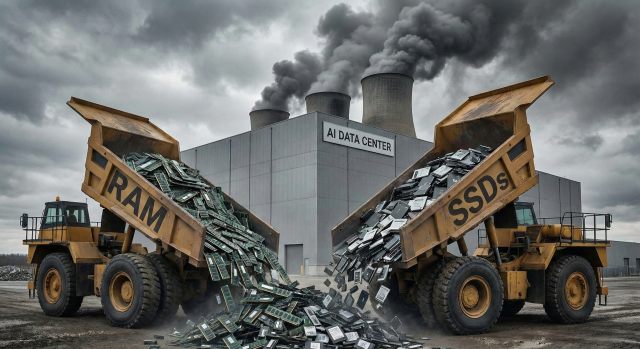
It’s official: the global hardware market has hit a bit of a snag, and it’s being driven by what industry experts are calling the "AI Tax."
I’ve spent the last few days digging into the data, and the landscape for 2026 is looking... well, gloomy. Between Western Digital and Seagate already selling out their entire manufacturing capacity for the year and the RAM crisis that's currently keeping things like the Steam Deck off shelves overseas, Australian small businesses are starting to feel the pinch.
Before I get too far, I have to acknowledge something. The irony of using an AI generated hero image on this article isn't lost on me.
I'm running an Australian small business - I felt the pinch.
Why I Bought My NAS Six Months Early
I predominantly run my business from Google Workspace. While that’s fantastic for daily data sync, as we often tell our clients at AFSecure: Sync is not a backup. To bridge that gap, I use a Ubiquiti UNAS Pro to handle full-disk encrypted backups of our critical datasets and workstations.
In an ideal world, I planned to wait for an EOFY (End of Financial Year) sale to pick up a second unit for redundancy. But as 2026 has progressed, it’s become clear that "waiting for a sale" is a gamble, not a viable strategy.
A quick check with our wholesalers showed almost zero stock, with lead times stretching out to the future. Many of the retailers I usually use were in the same boat. I eventually tracked down a unit at a price I was willing to tolerate, but the real challenge was the hard drives. I managed to secure the disks at a price that - to put it bluntly - made my eyes water, though it didn't quite make me cry.
Reflecting on that "win," I realised I was lucky to get them at all. I’m certainly not the only business owner in this predicament, and it’s why we need to talk about how to navigate this "AI Tax" on hardware.
Hunt the Stock, Not the Sale
In a normal year, it's sensible (if possible) to delay purchases for the EOFY sales or even Christmas sales. In 2026? That strategy might leave you with an empty shopping cart.
The reality is that major component manufacturers are now reporting the vast majority of their revenue comes from massive AI cloud providers. To them, a small business looking for five hard drives is a rounding error. They’ve already locked in their production for the next 12+ months to satisfy the "hyperscalers" (the Googles and Microsofts of the world).
So what can you do?
The ship has mostly sailed on cheap RAM and SSDs, prices are up significantly, but traditional Hard Disk Drives (HDDs) are still floating at reasonable levels in some corners of the Australian market.
Don't just stick to the big-name retailers. Look for the "dusty" suppliers and retailers - stock that hasn't moved too fast is your best friend. To return to my own example again, the retailer I purchased from didn't have stock of NAS Hard Drives anywhere except their store in regional Victoria. Guess where the HDDs I ordered are shipping from...
In short: If you know you’re going to need a server refresh or a new backup unit in the next 12 months, bring that purchase forward now. If the price is fair today, it’s a bargain compared to what it might be in six months when the "Out of Stock" stickers start appearing on local shelves.
Sweat Your Assets with Strategy
When a house feels too small, you have two choices: build an extension or tidy up the spare room. With hardware prices skyrocketing, it’s time for some digital tidying.
A lot of businesses think they need a new PC because the current one feels "sluggish." But here’s a secret: CPU performance hasn't actually changed that much for the average office worker in the last few years. A mid-range chip from 2023 is still perfectly capable of handling Word, Excel, and your accounting software today. The real bottleneck is almost always RAM.
Modern web-based apps (SaaS) are notorious "RAM hogs." Every tab you open in a standard browser is like a tiny leak in your memory bucket.
So here's the "AFSecure Strategy for Longevity™"
- Audit your Data Retention: Do you really need seven years of "Draft_Final_v2" files on an expensive SSD? Moving old data to a cheaper (and still available) HDD or deleting it entirely can extend the life of your current storage.
- Smart Browsing: I've been using Wavebox Browser to run my business. Unlike standard browsers that let every tab eat your RAM in the background, Wavebox "suspends" inactive apps. It’s like putting your unused lightbulbs on a motion sensor - you save a massive amount of energy (or in this case, RAM), allowing an older machine to feel snappy again.
- Identify the REAL Bottleneck: Before you bin a laptop, ask what is draining its resources. Often, a $100 RAM upgrade (if you can find it!) or just a software "spring clean" is all you need to get another two years out of the device.
"Supported" vs. "Working"
This is where we need to have a bit of a "tough love" conversation about your business requirements.
In a shortage, you’ll see a lot of "Ex-Enterprise" gear - second-hand servers and PCs from big corporations - flooding the market at tempting prices. These can be a lifesaver, but they come with a "Hidden Tax".
Contractual Reality
If your business has insurance requirements (like Cyber Insurance) or contractual obligations to clients (especially in government or medical sectors), you often must use hardware that is currently supported by the manufacturer. If you buy an old server that "works" but is "end-of-life," you might find your insurance is void if something goes wrong. In this case, you simply have to "eat" the higher costs of new hardware to stay compliant - it's a pain, but its just the cost of doing business.
"Works for Me"
If you don't have those strict requirements, older gear is a fantastic way to bridge the gap. However, remember that older gear fails more often. If you go down this path:
- Build in Redundancy: If you’re using an older server, buy two. Use one for parts or as a "cold standby."
- Security First: Even if the hardware is old, the software must be current. If a device can't run a modern, patched Operating System (like Windows 11 or a current Linux distro), it’s a security hole, not a bargain.
- DIY vs. Professional Setup: Older gear often takes longer to wrestle into working order. If you aren't doing it yourself, the money you save on the hardware might get eaten up by the extra hours your IT consultant spends getting it to work as expected.
Is 2026 just doom and gloom?
No, I don't think so at least. The hardware shortage of 2026 isn't a reason to panic, but it is a reason to be proactive. Whether it's hunting down the last of the reasonably priced stock or "sweating" your current gear by being smarter with your RAM, there are ways through this.
While we leave the desktop PC repairs to the retail shops, we are the experts in making your core business network work harder for longer. If you want to ensure your network infrastructure is lean, secure, and ready to "sweat" through this shortage, book a free consultation with our team today.