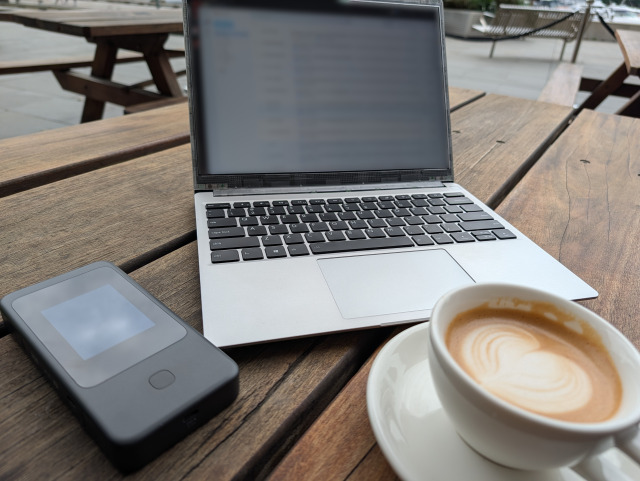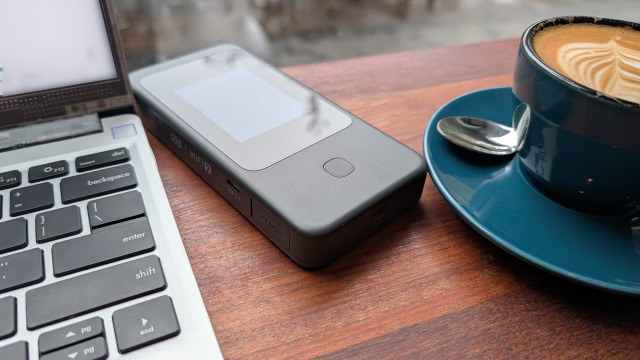
At AFSecure, we don’t usually write hardware reviews. Our mission is typically centred on providing the strategy, security consulting, and network design that keeps Australian small businesses resilient. We’ve hinted at the tools of the trade before - discussing how to stay secure on the road, the undeniable benefits of business VPNs, and even a peek into my personal business resilience kit.
But every now and then, a piece of technology comes along that is so transformative for the mobile professional that it warrants a deep dive. For years, I’ve been searching for the "perfect" travel router - a device that balances security, speed, and genuine portability without compromise. After two decades of evolution, I think I’ve finally found it in the GL.iNet Mudi 7. This isn’t just a gadget; for the modern Australian business owner, it’s a portable fortress.
NOTE: If you're sick of recipe websites that tell the story of the food, you may want to skip to the heading "Back to today".
A Journey Twenty Years in the Making
My obsession with travel routers started in 2004 with a tiny silver box called the D-Link DWL-G730AP (just rolls off the tongue doesn't it?). I was a fresh graduate, and at the time, Wi-Fi was a luxury. We were dealing with the early days of 802.11g - blistering speeds of 54 Mbps that felt like magic but were notoriously flakey. Back then, blanketing a house in Wi-Fi was prohibitively expensive, so I bought the D-Link as a "deployable" solution. If I needed internet in the lounge, I’d take the router with me.
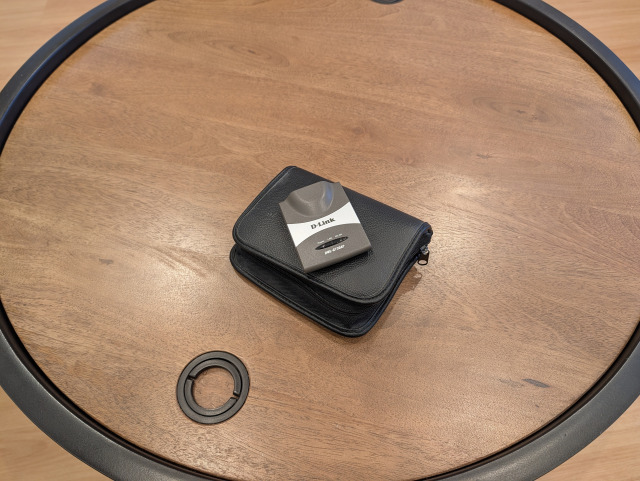
The real "lightbulb moment" happened during work travel. Older hotels often had a single Ethernet port on the desk for business travellers, but no Wi-Fi. By plugging my little D-Link router into that port, I had accessed a "cheat code." I could move around the room, work from the bed, and connect multiple devices while everyone else was tethered to a meter long cable. In fairness it was the little router's intended purpose so perhaps less of a "lightbulb" moment in retrospect.
Fast forward through a dozen different models, and that D-Link is now a teaching tool for my 10-year-old son to learn networking basics. The journey moved through countless homebrew solutions, various GL.iNet models (something I've mentioned before), eventually landing on the Slate 7. The Slate 7 was a massive leap forward - it offered Wi-Fi 7 and incredible speeds - but it had two key drawbacks: (1) it required an external power source so I found myself carrying a bulky battery bank and a PD (Power Delivery) cable just to keep it running on a train or in a cafe. It was powerful, but it wasn't truly "grab-and-go." (2) I needed to find an Internet connection (like near-by Wi-Fi), or bring one externally (like tethering a mobile phone) - convenience was lacking.
That brings us to the Mudi 7 (GL-E5800). It represents the culmination of everything I’ve learned about - and looked for, in mobile networking over the last 20 years.
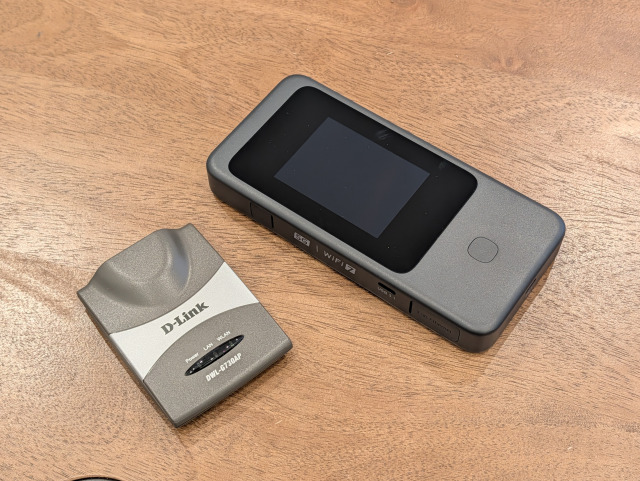
Looking back in time
Take a brief look at the picture above. The little D-Link unit that started it all next to the Mudi 7. The D-Link router could be considered genuinely pocket sized, the Mudi 7 less so. In many ways it reminds me of mobile phones. Manufacturers spent so much time squeezing phones into smaller and smaller footprints and yet today I walk around with a phone sporting a 6.8" screen. While the size has grown, I think we've found an "acceptable footprint". Much like a modern mobile phone, the Mudi 7 is squeezing in SO MUCH more functionality than its predecessors. The D-Link unit in that picture above doesn't have power, needs to find Wi-Fi to get online, can't run its own VPN and can't filter out Ads on your behalf. The Mudi 7 does all of this and more.
So how did we get here?
Going back in time
As mentioned before, there were countless home-brew solutions over the years. Before I settled on GL-iNet hardware I lugged countless non-travel routers around with me - 2 different Linksys models, approximately 4 TP-Link units and one (pre Unifi) Ubiquiti router over the years. They all had one thing on common - I ran OpenWRT on them. If that doesn't mean anything to you - OpenWRT is a free and open source router firmware. With it you can replace the manufacturer firmware on your device (if it's supported) and unlock all of its otherwise locked-away functionality.
As something of an accident, this is what got me onto GL-iNet's hardware - all of their equipment runs OpenWRT under the hood.
And that leads me to the mango in the room...
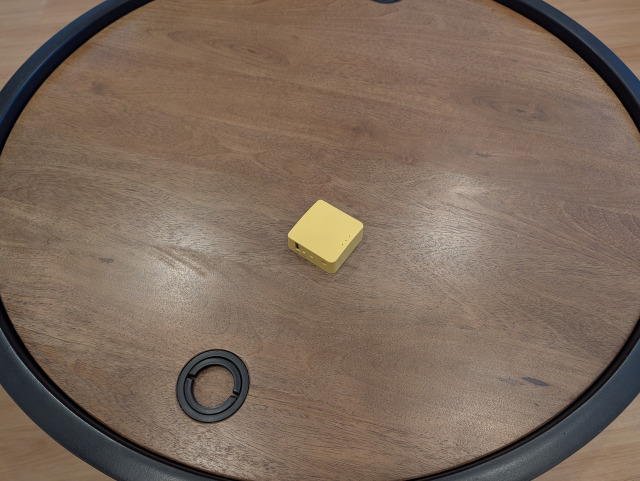
I didn't realise until afterwards that the Mango's colour is so "fun" that it actually threw my camera's white-balance. I guess that's what I get for being a full-auto neanderthal.
I LOVE the Mango, it was my first taste of GL-iNet, a commercial product built on an OpenWRT foundation. At approximately 3/4 the size of a deck of cards, it got tons of use over the years. Unfortunately for my use-case, it was let down by a few key limitations: 2.4Ghz-only Wi-Fi and limited VPN speeds. If these things don't matter to you, it can be found for less than $50AUD on Amazon. Once I'd had a taste for the Mango, I wanted more. That leads me to the Slate.
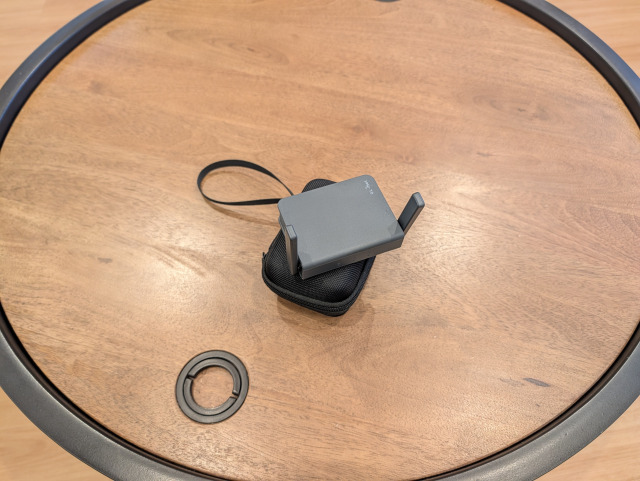
So the Slate is next up. It may not have the fun name and colour of the Mango, but for everything it lacks in fun, it more than makes up for it in functionality. The Slate was a bit of a mixed bag - in a unit a little larger than a deck of cards it squeezed Gigabit networking, 2.4Ghz and 5Ghz Wi-Fi, and a significant bump in VPN speeds over the Mango. This is where a slight trend begins to form - as internet speeds have increased over the years so have my demands on VPN speed. But this isn't where the Slate fell over, its problem was perhaps trying to do too much - thermals and stability weren't great.
The Slate pictured above is one of two units I had. The stable one I gave to my father and I kept the unstable one. Provided I could give it adequate airflow things were great, but the moment the ambient environment was less than ideal it was less than reliable. Perhaps my only real wrinkle in years of GL-iNet hardware.
And so I introduce Beryl.
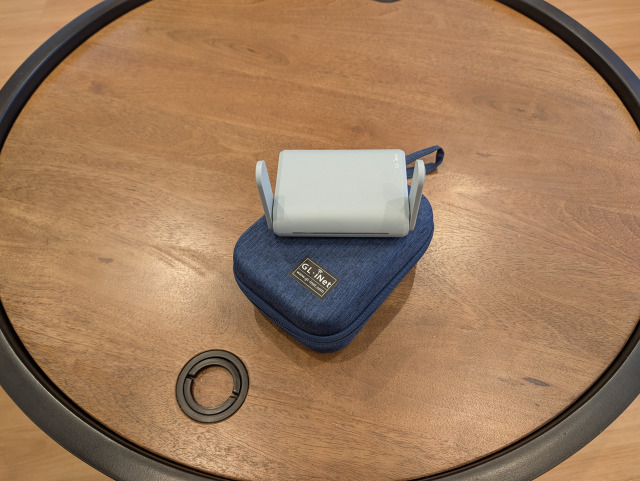
Faster Wi-Fi speeds. Faster VPN speeds. A little bulkier, resulting in better thermals.
It was almost perfect buuuut.....

Enter the Slate AX.
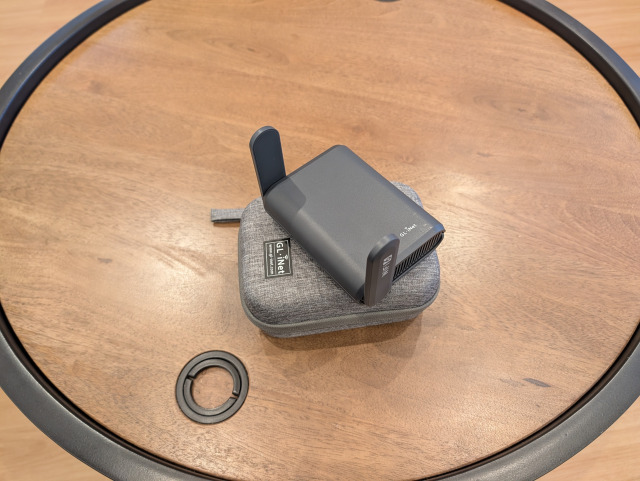
Wi-Fi 6 speeds. More than 5x the VPN speed on WireGuard. Over 20x the VPN speed on OpenVPN.
This was it, I had finally arrived. I reached travel router end-game. Or so I thought.
The Slate AX is an impressive piece of hardware, and could have been the one-router to rule them all. Except for its power demands. The issue is the Slate AX requires an odd 5V 4A power supply. If this means nothing: USB-PD (USB Power Delivery) the standard that your phone, (most likely) your laptop, and any other USB-C powered device uses tops out at 5V 3A. If you need more power the voltage increases, not the amperage. This made the Slate AX a heavy travel companion as it needed its own power supply and couldn't share my 2 port USB-PD charger with my laptop. The whole kit made it too heavy to take travelling if flying interstate with carry-on only. Amazing for travelling by car however.
And then there was Power Delivery.
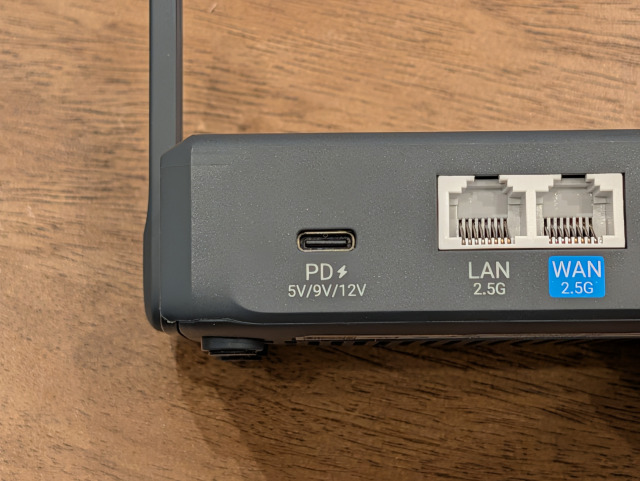
Yes, the next generation GL-iNet router introduced USB-PD. And so I moved to the Slate 7. I could throw the unit in my bag and share my laptop's charger for super light travel, I could even power it off a power bank for "cafe" Wi-Fi. What a treat!
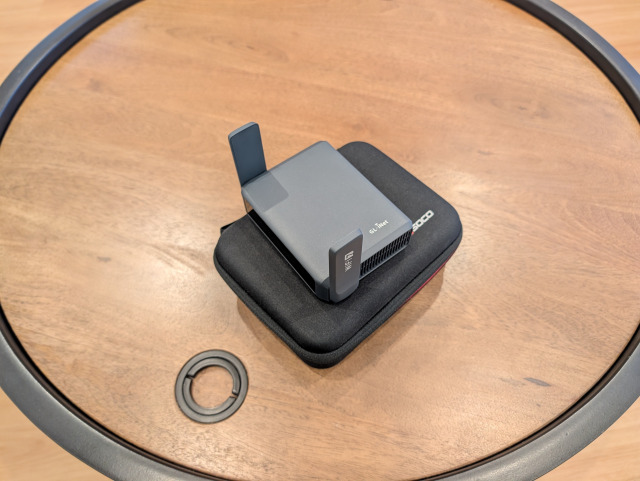
The gain in flexibility came with a slight drop in WireGuard VPN speeds compared to the Slate AX, but it was a reasonable trade-off.
By now, you may have noticed that in many of the photos my routers are sitting with their travel cases. This is a bit of my obsessiveness coming through. Every device has a case to keep it safe and "looking brand new". If I have to travel super light, I'll typically wrap the router in a tshirt in my luggage. I think any router needs to be assessed both for what "minimum gear" it needs (like proprietary power supplies) as well as with its "total kit". Only that way can you get a clear indication of how much space and weight it could need. So far every unit except the D-Link router has featured a case I purchased separately.
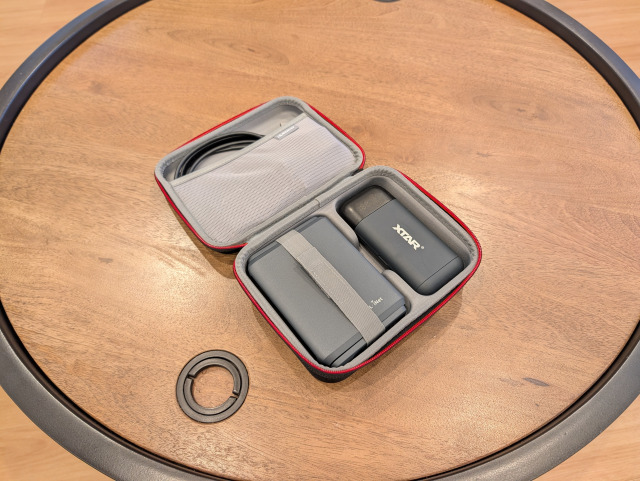
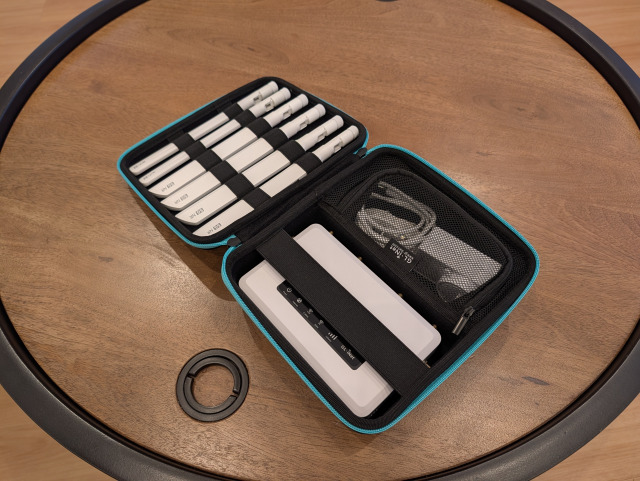
If we open the case for my Slate 7 for example, we see the unit, a pocket with cables and accessories and a power bank. The power bank became a mandatory companion for the Slate 7 and I remove or replace it as the need dictates.
So what about 5G? To date, if I'm truly mobile, I had tethered off my phone. To be clear, I hate tethering my phone, but it's a reasonable trade off for flexibility. If you've read this blog before, you may be familiar with my 5G backup router that doubles as a mobile unit - the Spitz AX. I need to take a moment and just ask, what happened to fun names like Mango? Anyway, i digress...
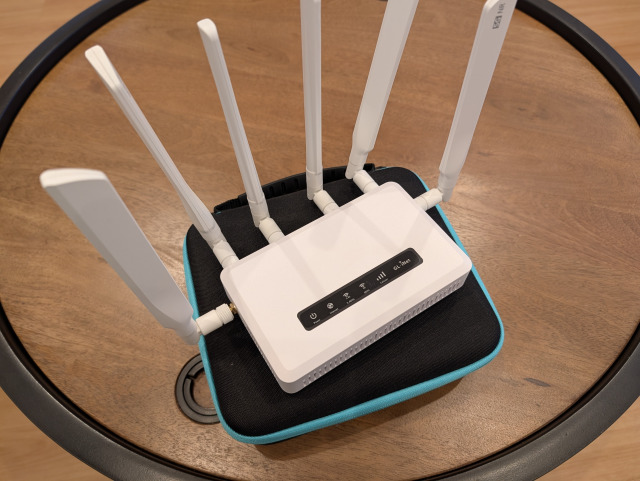
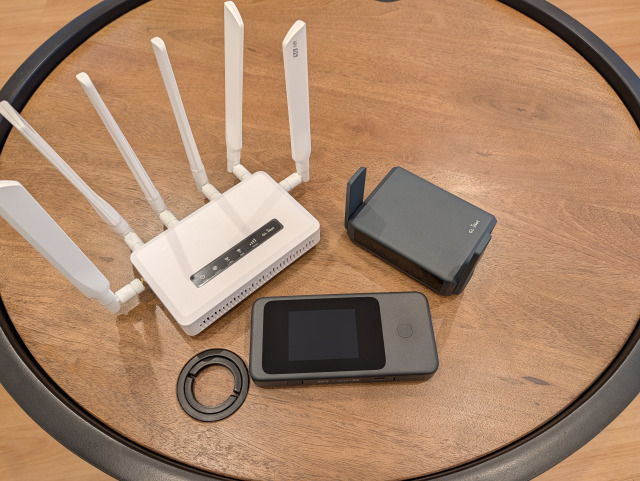
If the Slate AX was a beast for its VPN speeds, the Spitz AX is a beast for its sheer size. This is more of a "semi permanent" router, not something that you pop into your carry-on. Fixed 5G backup at home? CHECK! A week away near civilisation? CHECK! A long day at a client's site where you can lug a bit more gear? CHECK!
An absolute pain in the backside every time you need to pack it down? Also CHECK!
Just take a moment to appreciate the sheer number of antennas that need to be removed and packed to take the Spitz AX with you. It's the height of inelegant functionality.
Back to today
If you're still reading along you either have all the background or just skipped ahead.
In early 2026 GL-iNet opened up pre-orders for their upcoming 5G travel router, the Mudi 7. On paper it did everything I needed, and would make my work life significantly easier. So I did something I've never done before, I joined the pre-order for a router.
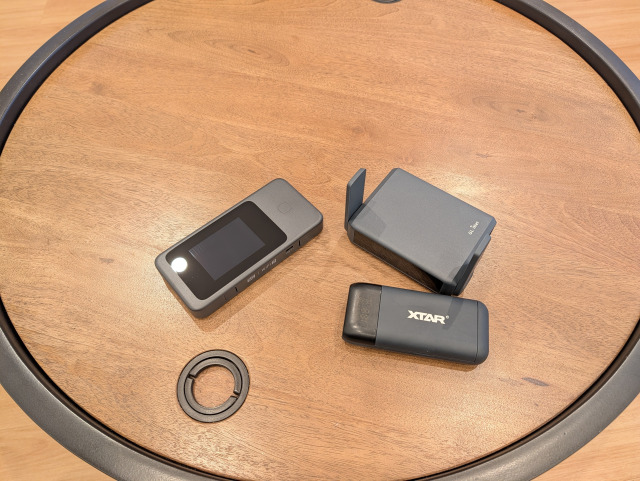
And here it is. The functionality of the Spitz AX AND the Slate 7 AND a power bank all in one compact form factor. It's kind of like a fat phone.
Even compared to the Slate 7 with a battery there's no comparison. My own testing has shown I can easily get a solid work day out of the Mudi 7. The Slate 7 with battery bank provides about 3 hours before the battery has drained.
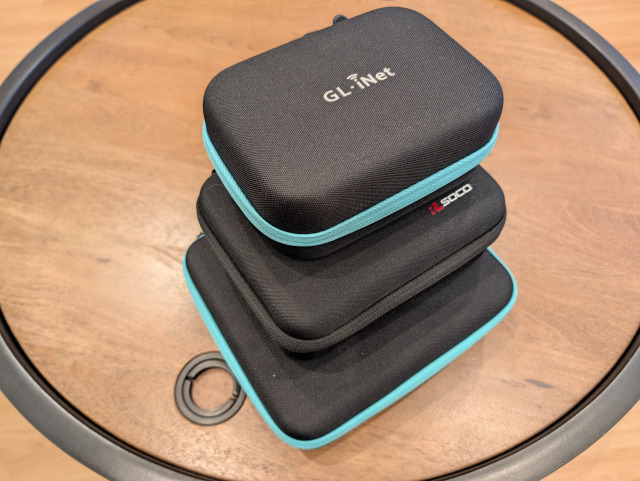
The comparison that really drives home the difference however, is comparing all the units with their cases. In the below photo the right and back sides of the cases have been aligned so you get a sense of the size difference by looking at the front and left. The Mudi 7 does everything the Slate 7 and Spitz AX can do (perhaps with the exception of the Spitz AX's built in ethernet switch) but at a fraction of the "total packed" size. If it isn't clear the case for the Spitz AX is on the bottom, Slate 7 in the middle and Mudi 7 on top.
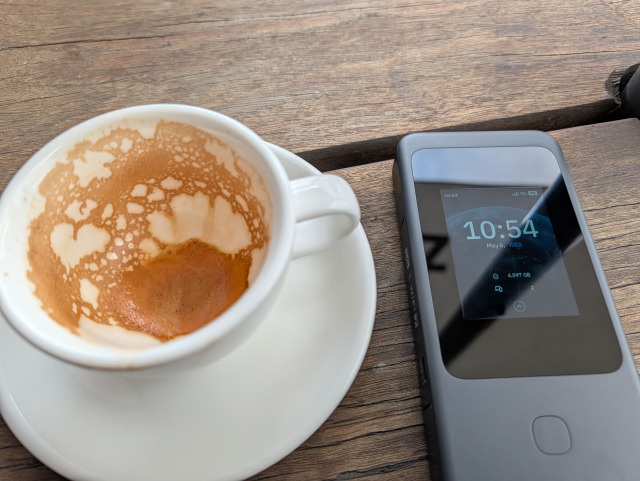
Recently I worked from the cafe out the front of a client's office. I was responding email and generally using the internet lightly. between 9am and 11am I had two half-hour meetings where I put my laptop aside, but the rest of the time I stayed connected. The Mudi 7 was providing connectivity to two client devices, my laptop and my phone. In those 2 hours it only consumed 5% of its battery. If I had tethered my phone I can assure I would have used more than 5% battery.
Living with Mudi 7
Getting a lived-with experience first requires understanding the kit I use with my Mudi 7. One pleasant change is GL-iNet including a travel case with the Mudi 7. It's the same generic GL-iNet case they sell for use with all their other travel routers. This has generated some online complaints about its poor fit. My 2c is it's better than nothing, but I will keep an eye on after-market options as they mature.
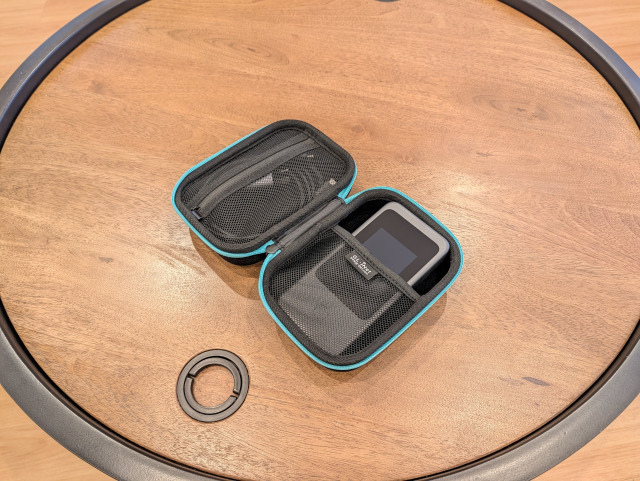
What's inside the case is interesting. GL-iNet provides the Mudi 7 and a USB-C cable capable of supporting 10Gbps speeds. I'll come back to that later.
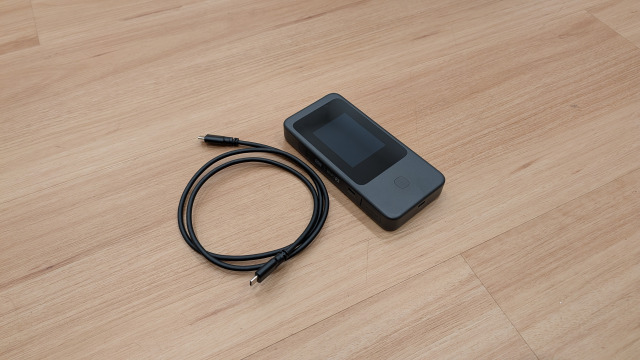
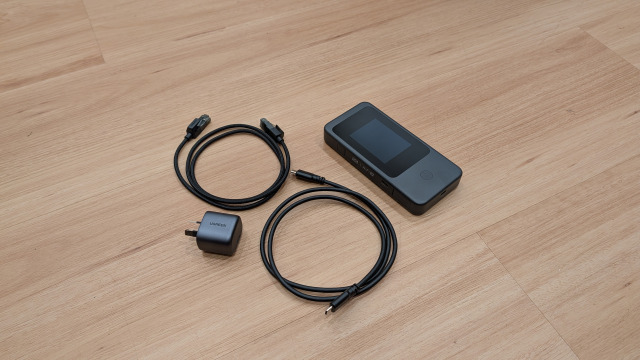
I have added a bit more to my Mudi 7's "complete kit". In addition to the USB-C cable I have added a small power supply and a thin, braided ethernet cable. This way if I do need to travel heavy I have all the accessories I need in one place.
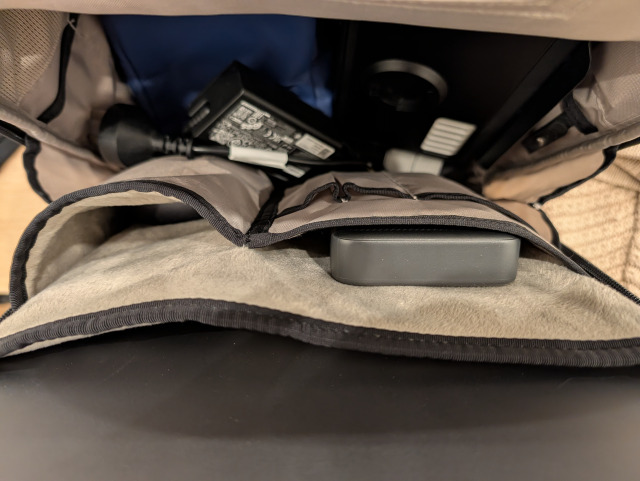
If travelling super-light, I pop the Mudi 7 into one of my backpack's lined pockets and I'm done. This setup allows me to work an entire day without having to really think about it.
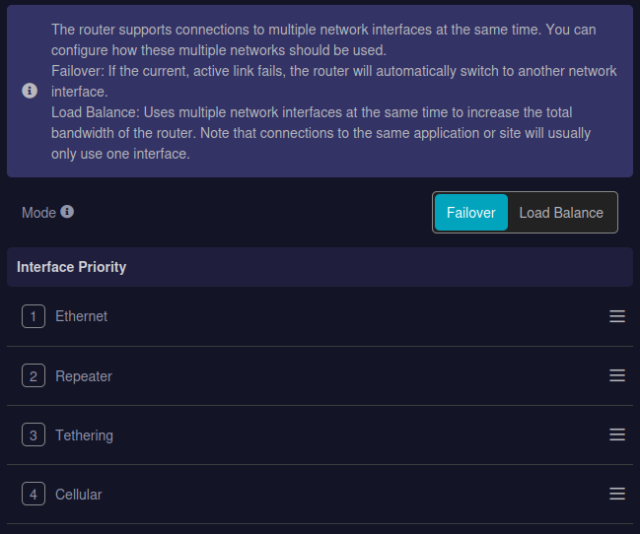
From the perspective of connectivity the Mudi 7 supports 5G/4G, Wi-Fi tethering, Ethernet connectivity and even tethering to a mobile phone or external modem. It's a genuine swiss army knife. You can even set the priority order of all its various interfaces and the router will automatically switch based on your chosen priority.
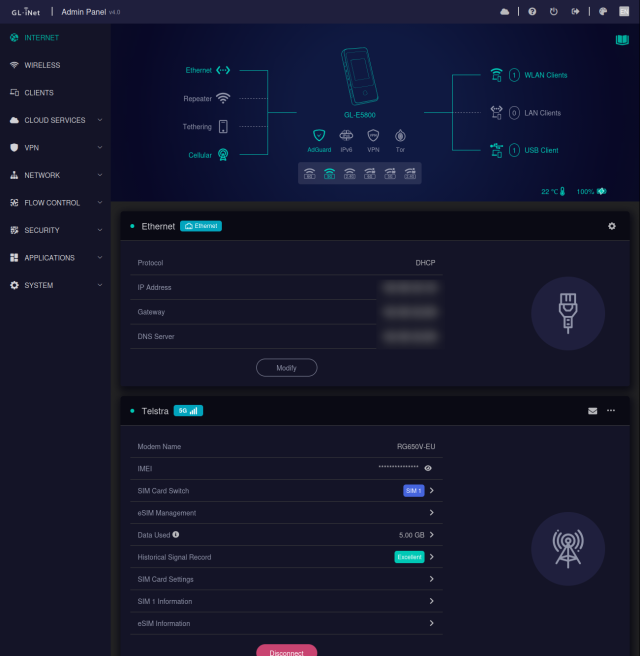
You can use the touch screen to manage interfaces, change settings, share a QR code for Wi-Fi connectivity to other mobile phones and tablets. But the full web interface it also accessible for "power" configuration or just to get rich information on what the router is doing.
One interesting feature of the Mudi 7 is the use of the Ethernet port. There's only one and it can be either a WAN (Internet) or LAN (client device) connection. At first I wasn't too keen on this set up, until I realised one of the Mudi 7's USB ports also works as a network connection. So you can use the in-built Ethernet port as WAN and the USB port as a virtual LAN port. This is especially helpful if your device doesn't feature a network port, like a Macbook for example.
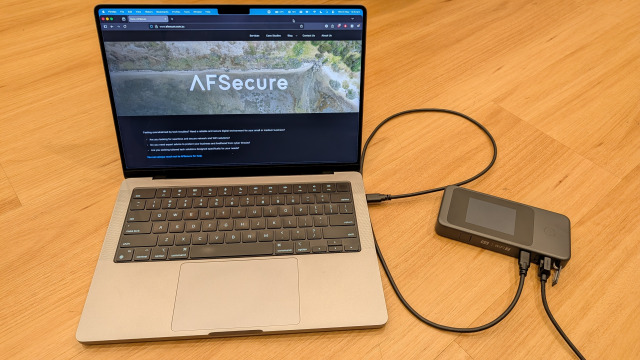
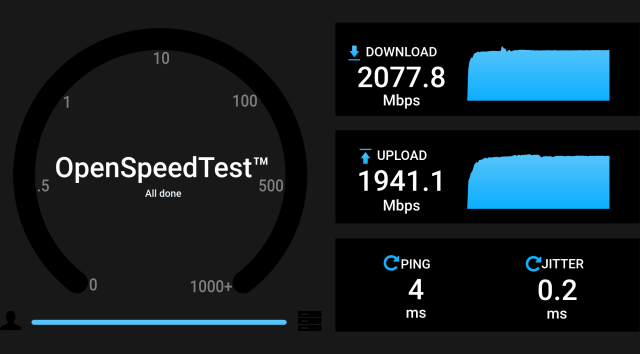
Speed-testing this setup I was able to route traffic at 2Gbps speeds via the Mudi 7. WOW!
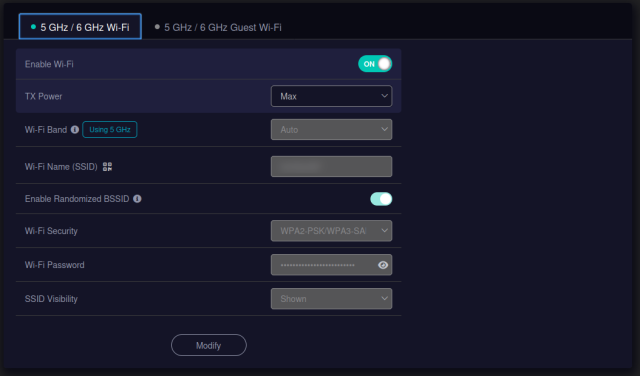
It's not all sunshine and lollypops however. While the Mudi 7 supports both 5Ghz and 6Ghz high speed Wi-Fi, this is an either/or configuration, it can't do both, and while I appreciate the ability to replace the battery (PLEASE NEVER CHANGE THIS!) the plastic on the door doesn't feel too robust.
There is also a split between two "variants" a North American (NA) version and an European (EU) version. The frequencies differ between each so you need to consider your needs in advance. If you're in Australia or Asia, the EU unit is the one you're looking for.
Alternatives?
There are lots, but here are the two "direct competitors" I would consider if the Mudi 7 doesn't do all you need:
GL.iNet Mudi V2 (4G LTE): If you don’t strictly need 5G speeds and want to save some budget, the Mudi V2 is the "tried and true" choice. It retains the same focus on privacy (with built-in Tor and VPN support) and the handheld battery form factor. It’s perfect for the security-conscious traveller who prioritises a stable, encrypted 4G connection over raw multi-gigabit throughput.
Netgear Nighthawk M7: This is a high-end "global" alternative. While the Mudi 7 is split into regional variants (EU vs NA), the Nighthawk is designed with a broader set of international bands and a built-in eSIM marketplace that works in 140+ countries. It’s more "plug-and-play" for world travellers, though it lacks the deep OpenWrt customisation that power users love in the GL.iNet range. The Nighthawk is also more expensive and lacks built-in VPN capabilities, but you can walk into a physical retailer in Australia and find one pretty easily.
Empowering your mobile office
The GL.iNet Mudi 7 is more than just a router; it’s a piece of business infrastructure that fits in your pocket. It takes the anxiety out of public Wi-Fi, provides "all-day" resilience with its internal battery, and offers speeds that rival many home NBN connections.
If you’re a business owner who values security and needs to stay productive no matter where the road takes you, the Mudi 7 is a worthy investment. It’s the "cheat code" I wished I had back in 2004, finally realised in a sleek, modern package.
Is your business ready for the road? At AFSecure, we specialise in helping Australian SMBs design secure, resilient networks that work wherever you do. Whether you need help setting up a company-wide VPN or choosing the right hardware for your mobile team, we’re here to help.